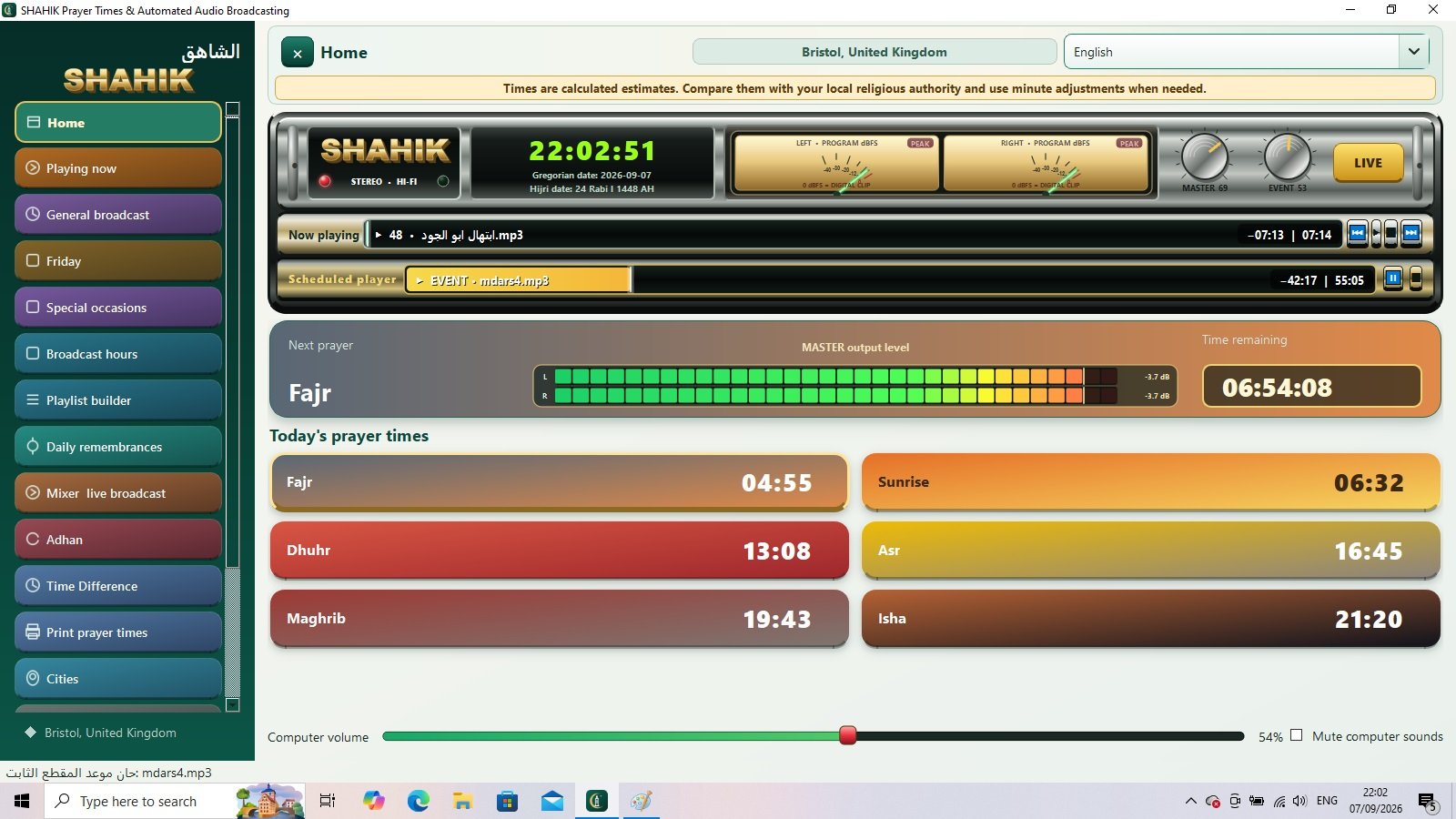
Prayer times, wherever you are
Choose a country, region and city, select a calculation method, adjust minutes, or enter and paste locally approved prayer timetables.
From prayer times at home and in the mosque to your station’s daily schedule. SHAHIK brings adhan, remembrances, audio libraries and scheduled programmes into one clear workspace.
Prayer times are free for life. No activation required.


Real screenshots of the programme in use. Select an interface, then open the image to see its details at full size.
Built to reduce repetitive organisation and give radio teams more time for their content and the message they share with listeners.
Choose a country, region and city, select a calculation method, adjust minutes, or enter and paste locally approved prayer timetables.
Choose adhan for each prayer, set before-and-after audio, and organise morning, evening and night remembrances.
Add files, folders and their subfolders. Organise main content and separators into automatically generated playlists.
Play content at a chosen time or before or after a prayer, with a separate scheduled player and visible playback progress.
Independent content, separators and programmes for general broadcasting, Friday and occasions. Friday takes priority, then occasions, then general content.
Daily and weekly broadcast windows or round-the-clock operation, with an audio mixer, live-broadcast mode and gradual transitions.

Core functions are available without an activation code.
For stations that want to organise and automate their daily output.
To activate: open licensing in the programme’s settings, copy the device identifier and send it to the activation email. Enter the code you receive in the activation field.
Choose the direct website download or Google Drive. Extract the downloaded archive completely, then open the installer and follow its instructions.
Select Direct download to download from this website’s hosting, or Download from Google Drive to use the alternative link. Confirm the source and scan the downloaded file. A size-related Drive warning is not a confirmed virus detection.
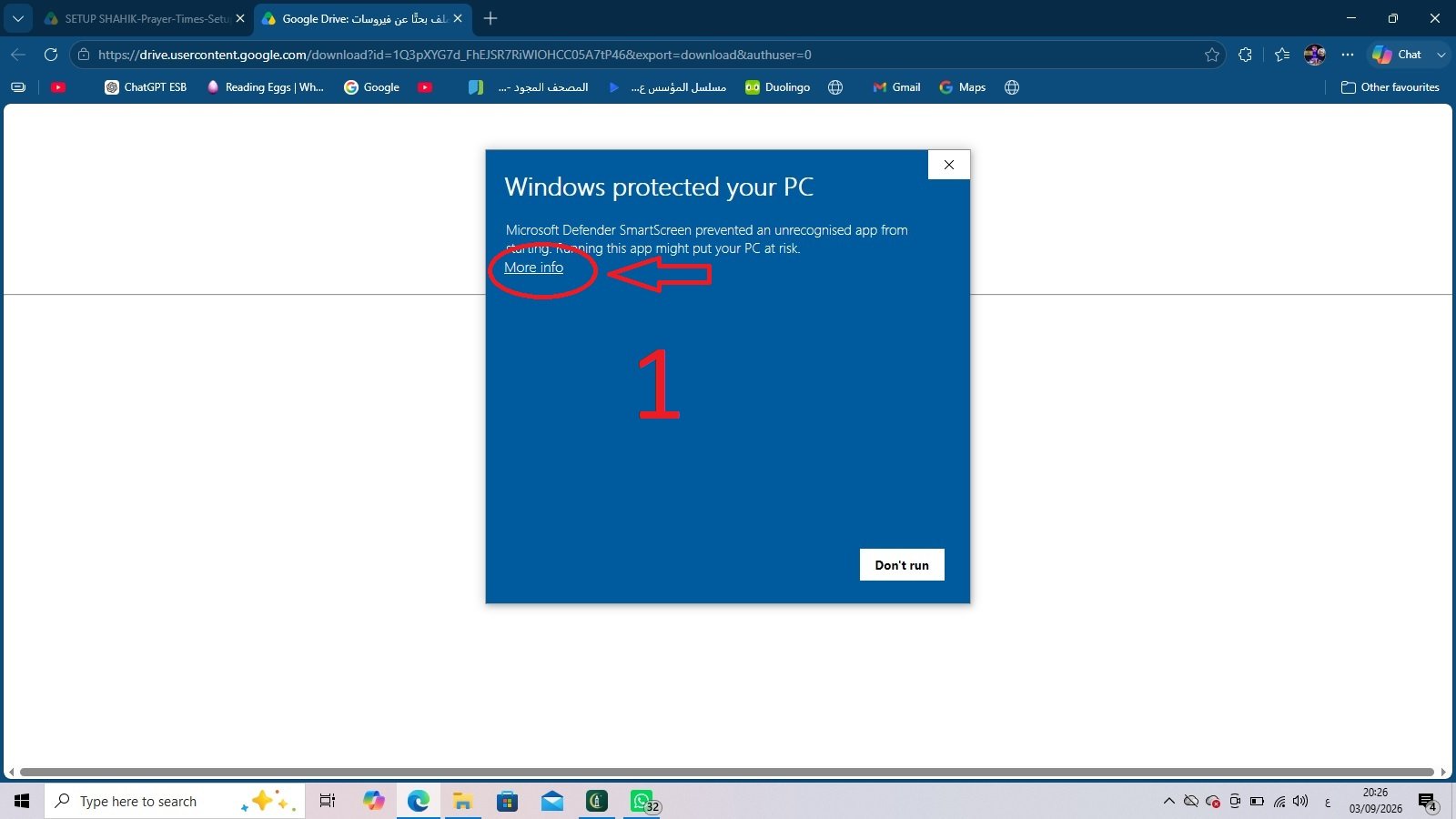
If “Windows protected your PC” appears, select More info to see the application name, publisher and further details, as shown in the image.
 Enlarge image
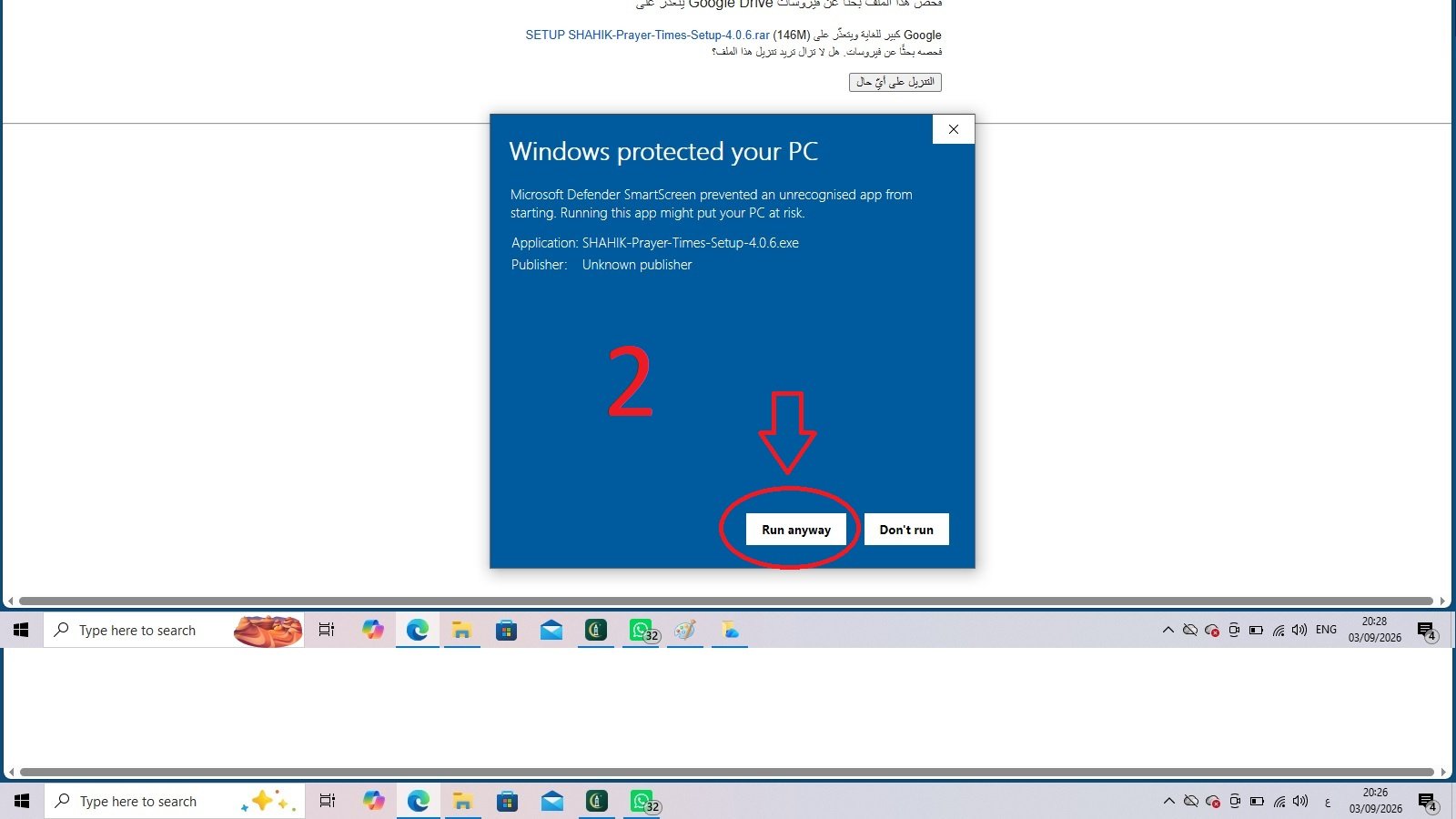
If you have verified the source and scan result and decide to install the file, select Run anyway to continue. If you are unsure, contact support before proceeding.
 Enlarge image
These warning screenshots are illustrative; your version number and message wording may differ.
No. SHAHIK is fundamentally a lifetime-free prayer-times programme. Activation applies to advanced radio-management functions.
Yes. It is intended for use worldwide, with city and calculation-method selection and flexible adjustments or manually entered timetables. Compare calculated times with your local authority.
Broadcast windows control ordinary library playback. Enabled adhan, remembrances and scheduled programmes keep their own times. Scheduled computer sleep stops playback and must be configured deliberately.
Yes. The website, images and guide work on mobile screens. The programme itself is for Windows 10 and Windows 11 computers.
Stop before running it, scan it with up-to-date protection and contact support@shahik-radio-pro.com. Do not bypass a warning that reports detected malware.
Help with installation, everyday use and technical feedback.
support@shahik-radio-pro.comQuestions and activation requests for advanced radio features.
activation@shahik-radio-pro.com